Monday, March 30, 2015

Get to Work: The Build Stuff

If you are a builder like me, the first thing you want to see when there is a new expansion pack is the STUFF.  What items come with it...what can we use to for our creations...how useful and versatile is the new stuff.  Show me the stuff.


I was lucky enough to get a sneak peek of the Sims 4 first expansion pack, Get to Work, this weekend and I spent a lot of time looking at the items and taking pictures to share.  My overall impression is very favorable!  While there are a lot of very career specific items, and some categories have few if any new additions, I also see a bunch of interesting objects that can easily be incorporated into a variety of builds.  Here is a broad overview with some highlights of things that stood out to me.

One area that disappoints is the wall and floor coverings.  There are very few new additions to the catalog....just one wall and a handful of floors.  Considering how relatively easy these assets are to create, I am truly sad to see they couldn't give us some new texture and color options to use in our creations.


This color palette seemed to be pretty uniform across many of the items, something I have been hoping to see.

These linoleum floors are an exception...they are all done in washed out dreary shades.


New fencing

So this "fence" is a bit....different.  It is basically a flat colored strip on the floor. It is supposed to be "clear walls" but there is no texture or sheen to give the impression of anything being there at all.  I thought it might come in handy to make large picture windows or display windows, but I didn't find it effective at all.  It just looks like a hole in the wall. I have to think about how to use this one.....


Only one new stair..this industrial metal style.  It comes in several colors and is actually quite versatile.


There is a great selection of doors and windows.  Plenty of things that can be re-purposed for residential use.  As you can see from the swatches, most of the items follow 2 color palettes, either the more colorful one or a drab set of gray/black/greenish neutrals.


This is a career unlockable door, but its so cool you will want to use the cheat to unlock it right away. (reminder: open the cheat box and type in bb.ignoregameplayunlocksentitlement)


How pretty is that?!  Magnifique indeed!


Some of the windows have a "black out" effect.  When placed one direction, you can see in or out of them, but when rotated, they take on an opaque appearance.


There are no new roof objects or textures.  The only new thing in the landscaping area ( trees, flowers, bushes, etc) is this "alien" tree that comes in two sizes. Most of the emphasis of this expansion pack is clearly on the interior objects.


The styled room section will give you a good idea of some of the looks possible.  Since there are several retail store set ups available, those who don't want to build will appreciate this section immensely.


Overall the furniture has a strong office/industrial vibe with some surprises thrown in here and there.  Don't expect to see much in the way of new kitchen or plumbing objects.  There is one kitchen counter only and a single set of plumbing objects.


I love the details on this book case!


There are a ton of clutter objects and skill specific objects relating to the careers.  Here are a few examples of those objects:


There is a boatload of additional items that I haven't even covered, but I wanted to give you a good overview of what to expect in the game.


While clearly there isn't much here that would be helpful in a Victorian or cottage style build, I think there is a wealth of objects are versatile enough to work for contemporary, modern, suburban and industrial style builds.  And if you have ever wanted to make a hip industrial loft or Bo-Ho apartment, this is your expansion pack.  


Workin' those Get to Work hairstyles

Here are the new hairs available in the Sims 4 expansion pack, Get to Work!


Aliens are Here!

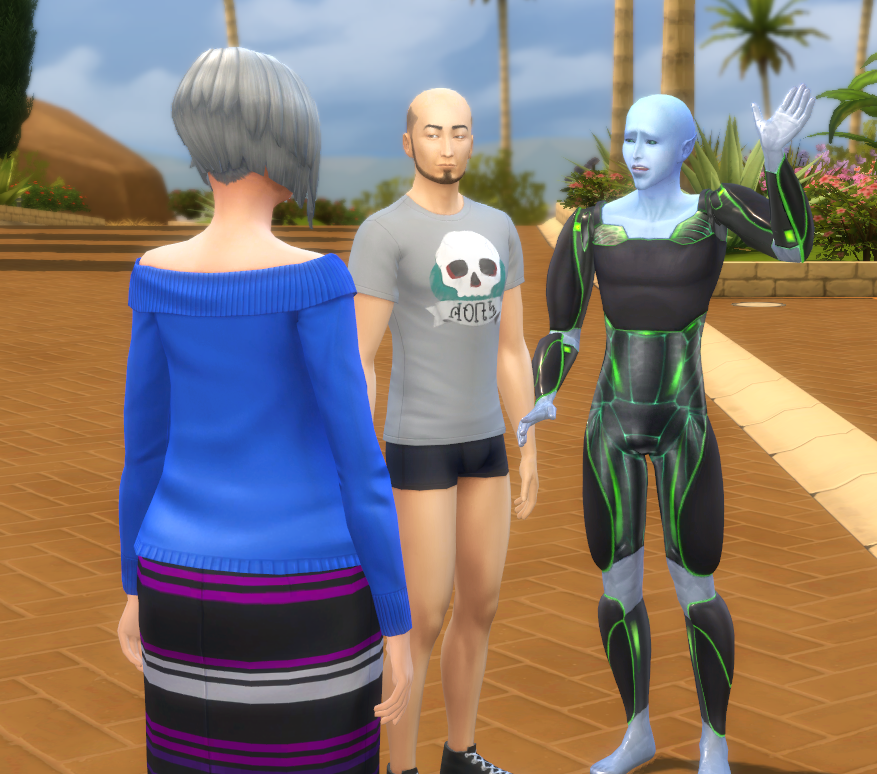
The first expansion pack for The Sims 4, Get to Work, adds a community favorite right out of the gate: aliens!  I had a sneak preview of the game this weekend and I was thrilled to discover that it is so easy to add aliens to your game.


No more nights of watching the skies and using the telescope in vain!  Just hop right into Create-A-Sim and make your own alien life form. Once you are in CAS, click on the "Add an Alien" option.

Aliens have the same traits, voice, and walk options as other sims.  They dont, however, have access to all of the options in Create-A-Sim.  You will notice that most of the categories are grayed out and not available to aliens.  This includes hair and eyebrows too!


The only clothing available to an alien when they are not in disguise ( more on that later!) is a space suite.  There are two versions, both of which have lighted areas.  There are 4 color combos, but they are all variations of white, gray and black. Half- aliens have all options available to aliens and to sims.


What aliens DO have is their own set of unique skin and eye colors.  These colors are only available to aliens and half-aliens.


Their features can be pushed and pulled just like any other sim, so you have the option to make your alien as outlandish or as human like as you prefer.


One area where you can get creative is with the make-up.  Aliens have a huge variety of make up options in mostly bright primary colors.


( I love this shiny metallic effect of this lip option!)

These fun, funky make up options are also available to sims!


You can also use the "Play with Genetics" option to create a blended family.  It seems that, while not all offspring will be aliens ( seems to be about 50/50 on that) the alien skin tone is extremely dominant.  I hit random over 30 times and did not get a single child with a non alien skin.


You will know if the child is considered an alien by the hair and clothing options, although you might want to age up children to be sure. I noticed that a teen "alien" sim looked like part human ( with hair and clothing) as a child and vice versa.  Bottom line: what a child looks like is NOT an indication of whether or not they will be alien or human.  You cant tell in CAS unless you age them up to teen or older.


Aliens also come with a human "disguise" mode.  I wasnt able to change the disguise when making an alien initially in Create a Sim.  Once your alien is in the world, however, you will see the option to "Alter Disguise".  Choose this option and you are taken into CAS and are able to fully customize the "human" appearance of your alien.  And by fully, I mean you can even change the body shape and facial structure.  Any changes to the disguise do not affect the alien form in any way.


Juts select "Disguise Self" to switch over to the other appearance whenever you like!  All of your alien interactions are still available to you while you are incognito, too.


 I hope you enjoyed this short look at the CAS options for our newest supernatural sim......aliens!


Saturday, March 21, 2015

Mechanica

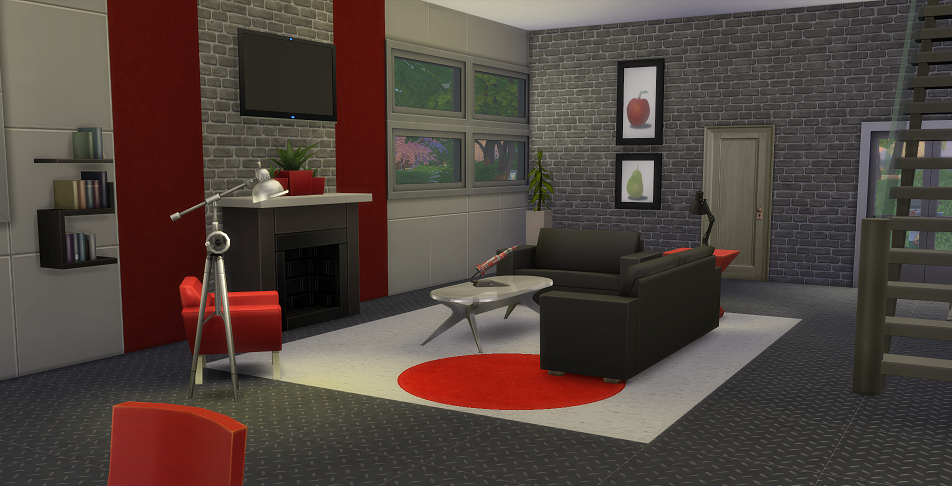
I am really excited about the upcoming expansion pack for The Sims 4, Get to Work, and the addition of aliens in particular.  In thinking about what an alien might build for themselves, I came up with this design. It is sleek and modern but with a decidedly industrial edge. I tried to keep it inexpensive without sacrificing some interstellar style.


Mechanica has 2 large bedrooms, a study loft with skill builders, and a patio.
NO CC
20x30 lot size
under $50k

Find it in the Sims 4 Gallery under user name ruthless_kk


About Me

I build lots for people to use in the Sims. I have created hundreds of lots that have been downloaded by people all over the world. My work has been featured on the official Sims 3 site, several Sims 3 fan sites and in Game Informer magazine.
I am a mom...a gamer...a book worm...a worrywart...a fan of architecture, interior design, and all things Grumpy Cat.